You Can Now Export Videos with Subtitles After Local Video Translation

TransGull Team
Mar 13, 2026
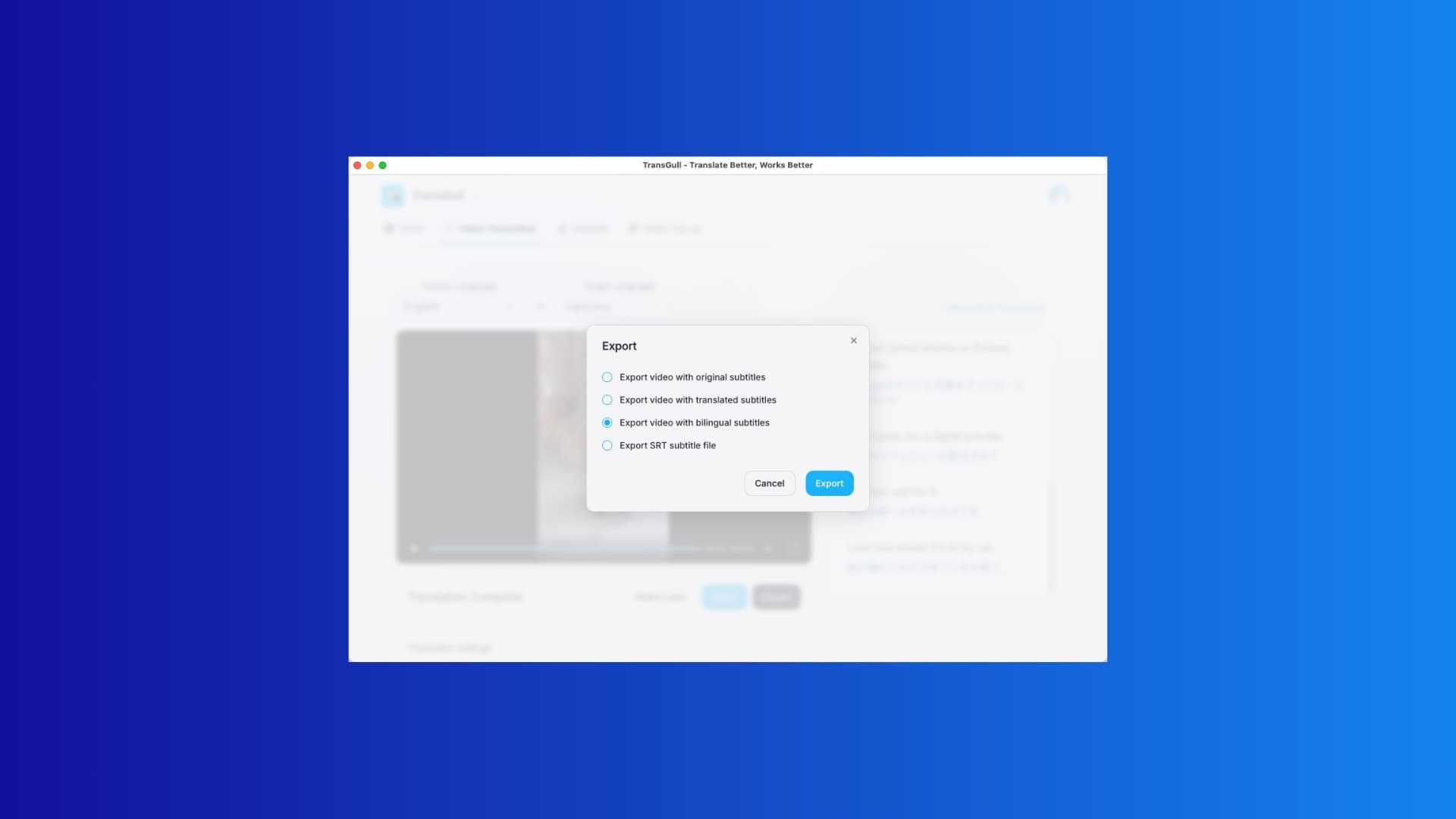
We're excited to announce that the desktop app now supports exporting videos with subtitles after local video translation is complete.
That means you no longer need to rely on third-party editing software to burn in subtitles after translation is done, and you no longer have to switch back and forth between subtitle files, timelines, and final exports. Now, from video translation to exporting a subtitled final video, the entire workflow can be completed in our desktop client in one place, making the process much easier and more efficient.
From Translation to Final Video, All in One Go
For many content creators, cross-border teams, educators, trainers, and business users, video translation is only the first step. What really affects delivery efficiency is often the subtitle finishing and video export process after translation is complete.
In the past, the usual workflow looked like this:
- Complete video transcription and translation
- Export the subtitle file
- Open editing software and import the original video
- Attach subtitles manually, adjust styles, and check the timeline
- Export the final video
This process is not only cumbersome, it also tends to consume a lot of time in the final step. Especially when you need to publish multilingual content quickly, subtitle handling often becomes the biggest bottleneck in the entire workflow.
Now, we've filled in that missing step for you.
New Export Options in the Desktop App
Once local video translation is finished, you can now choose from the following export options directly in the client:
- Export video with original subtitles
- Export video with translated subtitles
- Export video with bilingual subtitles
- Export SRT subtitle file
Whether you want to keep the subtitles in the original language, export translated subtitles for overseas audiences, or display both the original and translated text in bilingual subtitles, you can now export what you need in one click.
For users who still want to continue into a more advanced editing workflow, we also keep SRT subtitle export available, so you can move into professional video software for more detailed post-production work.
Why This Feature Matters
At first glance, this update may seem like just “one more export option,” but the improvement to the actual user experience is significant.
First, it dramatically shortens the path between translation completion and content publishing. Work that previously required multiple tools can now be finished in a single client.
Second, it makes multilingual video production much lighter. For teams that regularly process course videos, product demos, social media content, or recorded meetings, being able to export a subtitled video directly means less manual effort and faster delivery.
More importantly, bilingual subtitle export makes content distribution more flexible. In many cases, bilingual subtitles not only improve comprehension, but are also better suited for training, demos, knowledge sharing, and international communication.
Ideal Use Cases
This feature is especially useful for:
- Publishing videos on overseas social platforms
- Localizing product introduction and promotional videos
- Translating online courses and training videos
- Organizing meeting recordings and interview content
- Exporting internal materials for multilingual teams
If you often need to turn a video into something that is “ready to publish” as quickly as possible, this update will be especially helpful.
A Simpler Local Video Translation Experience
We've always believed that video translation should not only mean “getting the content translated,” but helping users get to the final usable result faster. Supporting direct export of subtitled videos after local translation is an important step toward that goal.
Now, inside the desktop client, you can bring video translation, subtitle generation, and final video export into one smoother local workflow. Fewer tools, fewer repetitive steps, and faster access to a finished result that is ready to use and share.
Update to the latest version to try this feature. If you're already using our desktop client, try exporting your next translated video directly as a subtitled final cut.