New Feature Release: TransGull Now Supports Live Stream Interpretation

TransGull Team
Dec 11, 2025
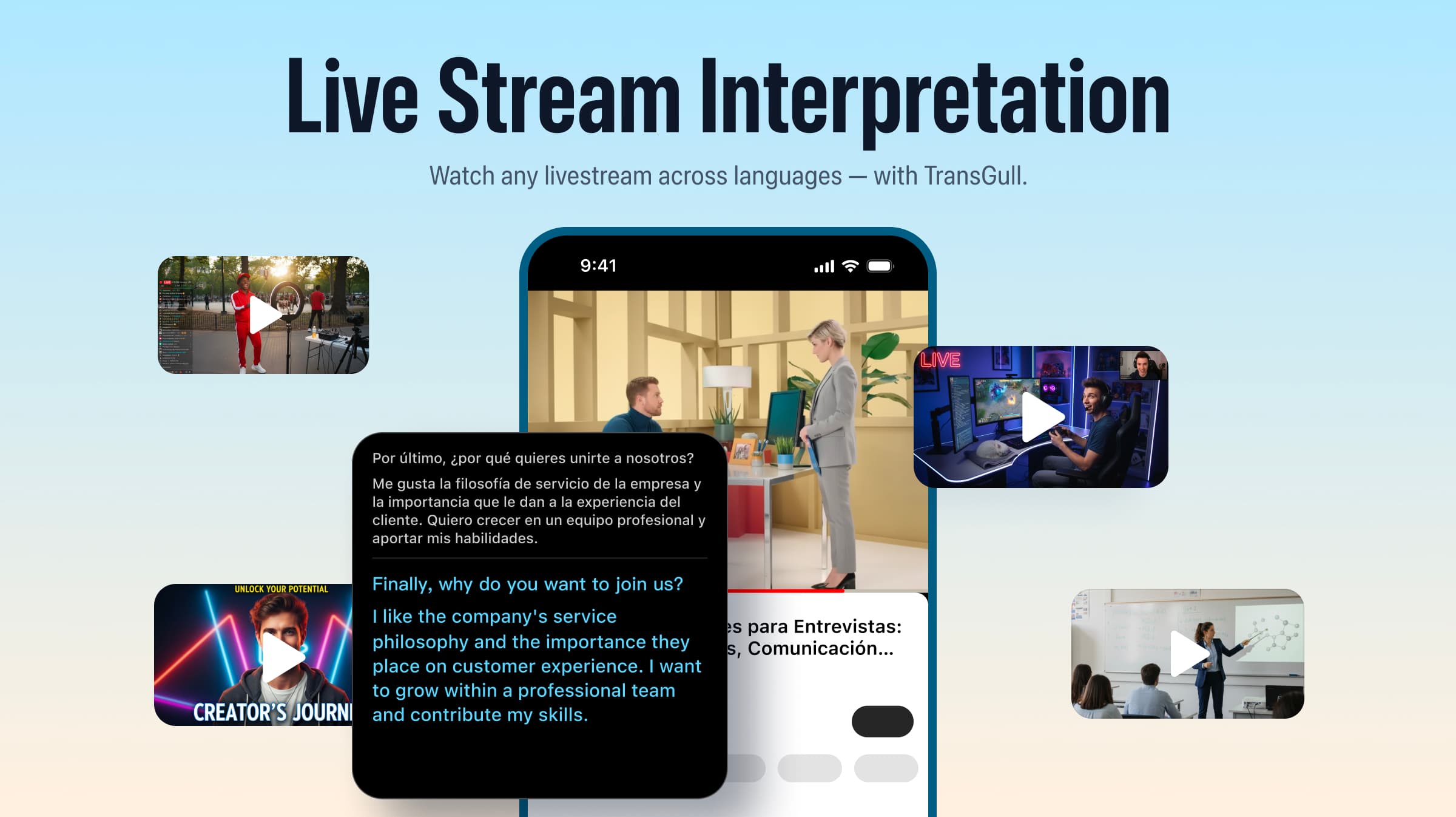
We’re excited to announce that TransGull now officially supports real-time simultaneous interpretation for livestreams on your phone! Whether you're watching idol livestreams, sports matches, international classes, or global news, you can now instantly understand any live content with bilingual subtitles.
💡 Why Did We Build “Live Stream Interpretation”?
Over the past few months, we’ve received countless messages from users:
- “I want to watch my favorite idol’s livestream, but I always have to play the audio on my laptop and then use TransGull on my phone to interpret it… it’s too troublesome.”
- “Can you translate sports commentary during the match?”
- “Some live courses are too difficult—I wish I could see subtitles anytime.”
We’ve listened carefully to every request.
Today, we’re officially launching Live Stream One-Way Interpretation:
on the same device, TransGull continuously captures internal audio → performs high-accuracy speech recognition → translates it in real time → and displays bilingual subtitles in a floating window.
🔥 Key Features
✔ Translate livestreams playing on your device
No need to prepare two devices anymore. One phone is enough for real-time interpretation of the livestream you’re watching. Wherever you watch the stream, that’s where the translation appears!
✔ Real-time bilingual subtitles
Understand everything as it happens—without missing any detail.
✔ Covers 21 languages
Including: English, Japanese, Traditional Chinese, Simplified Chinese, French, Spanish, Russian, Korean, Vietnamese, German, Thai, Italian, Portuguese, Turkish, Filipino, Hindi, Bengali, Slovak, Cantonese, Malay, and Indonesian.
✔ Supported livestream platforms
Popular platforms like YouTube and TikTok are supported, as well as livestreams watched through mobile web pages.
📱 How to Use Live Stream One-Way Interpretation
Update your TransGull app to the latest version:
iOS: Go to App Store
Android: Go to Google Play
Open the app → tap Interpret → Live Stream One-Way Interpretation and follow the instructions.
Switch to the livestream you want to watch.
Bilingual subtitles will automatically float on top of the screen.
💳 Pricing
Live Stream One-Way Interpretation follows the same pricing model as our standard one-way interpretation feature.
You can view the details here: Translation Credit Spending Rules.
💻 Does the PC Version Support Live Stream Interpretation?
Yes! And it's even more powerful.
Both the Mac and Windows versions of TransGull now support translating anything happening on the same computer.
In addition to livestreams, the desktop version also supports video conferencing apps such as Zoom, Google Meet, and Microsoft Teams—helping you understand real-time discussions during online meetings.
🎉 Try the All-New Live Stream Interpretation!
We believe language should never stand between you and the information or entertainment you seek.
Update TransGull now and enjoy a smoother, more accessible cross-language livestreaming experience.
If you have any suggestions or feedback, feel free to reach out anytime. Your input is our biggest motivation to keep improving.