How to delete an account?
Notice:
Deleting your account is permanent and cannot be undone.
If you only need to delete a translation record, you can tap “History” in the bottom menu, then long-press the title of the history item and tap “Delete” to remove it.
If you wish to delete your account and remove all of your data, you can follow these steps:
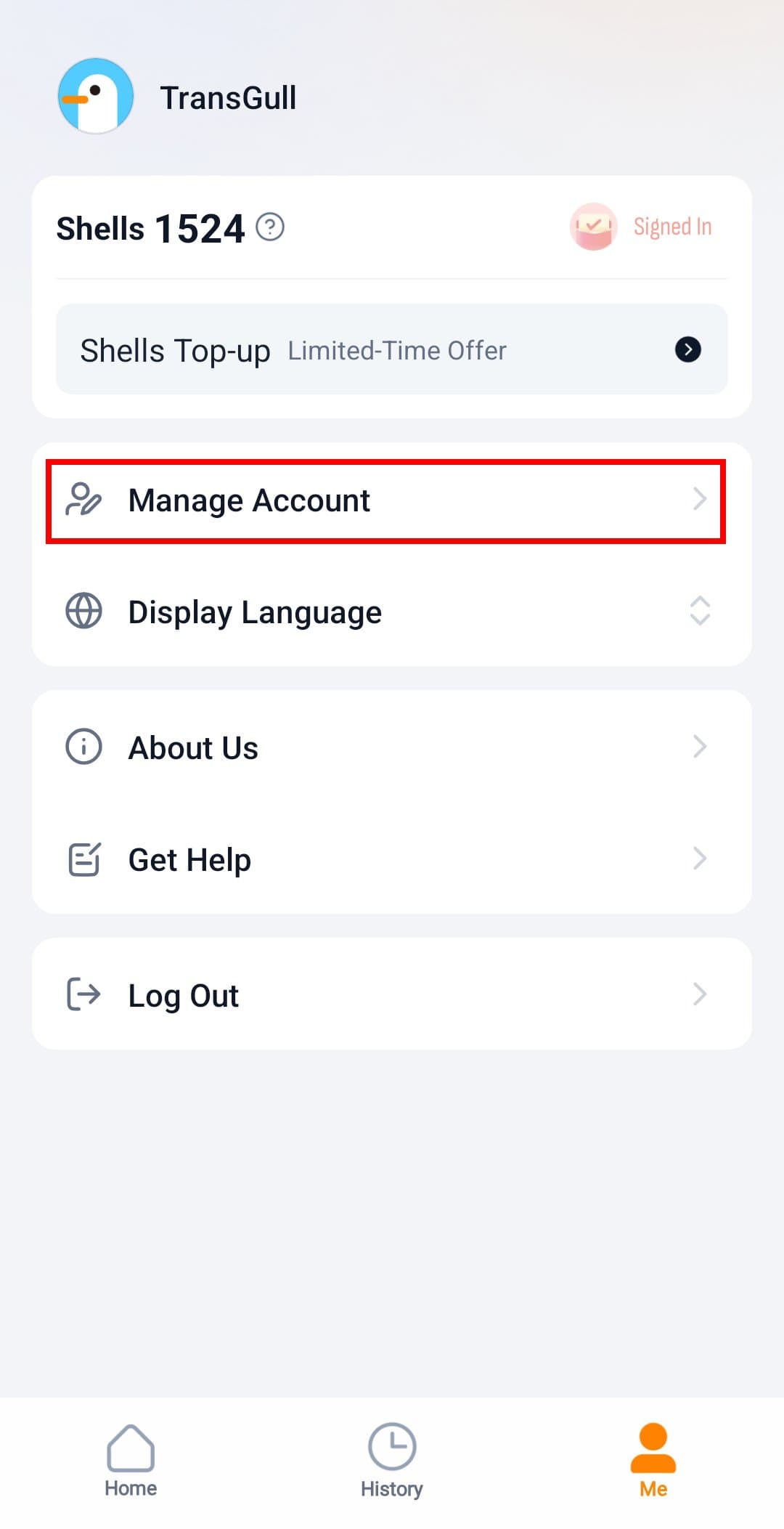
1. Open the TransGull app, tap the Me tab at the bottom to enter the My Page screen, then tap Manage Account.
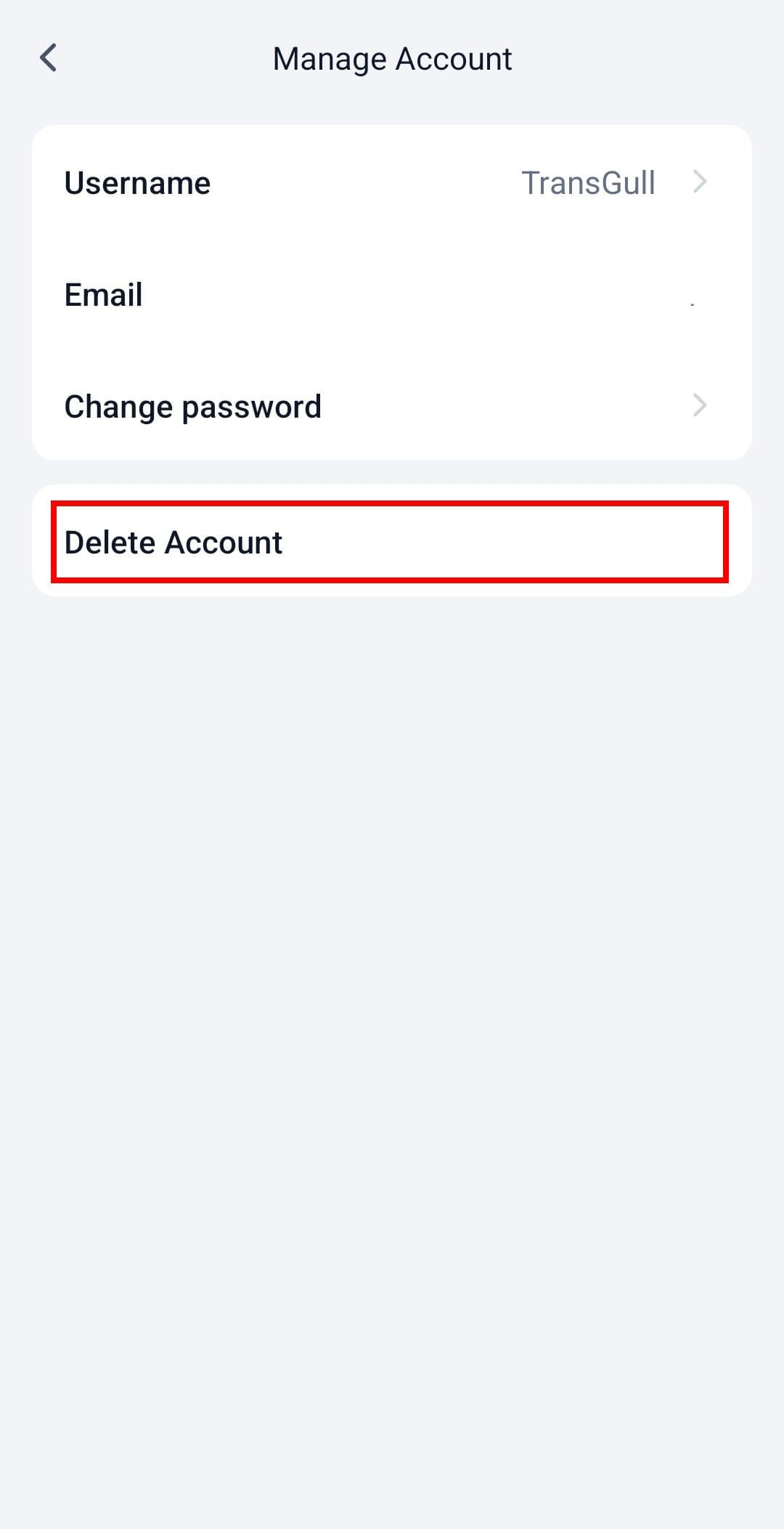
2. Then Tap Delete Account.
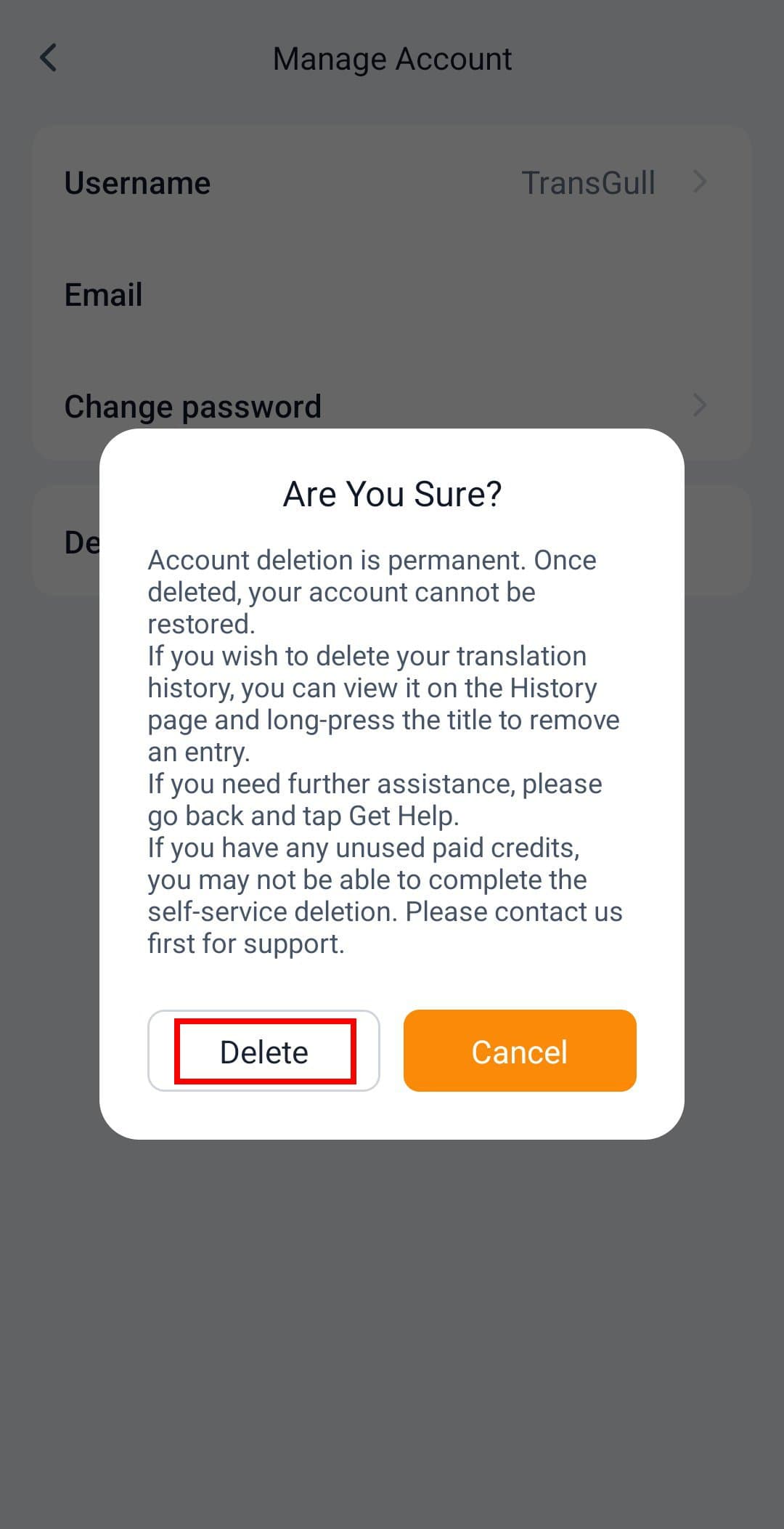
3. In the pop-up prompt, click the Delete button.
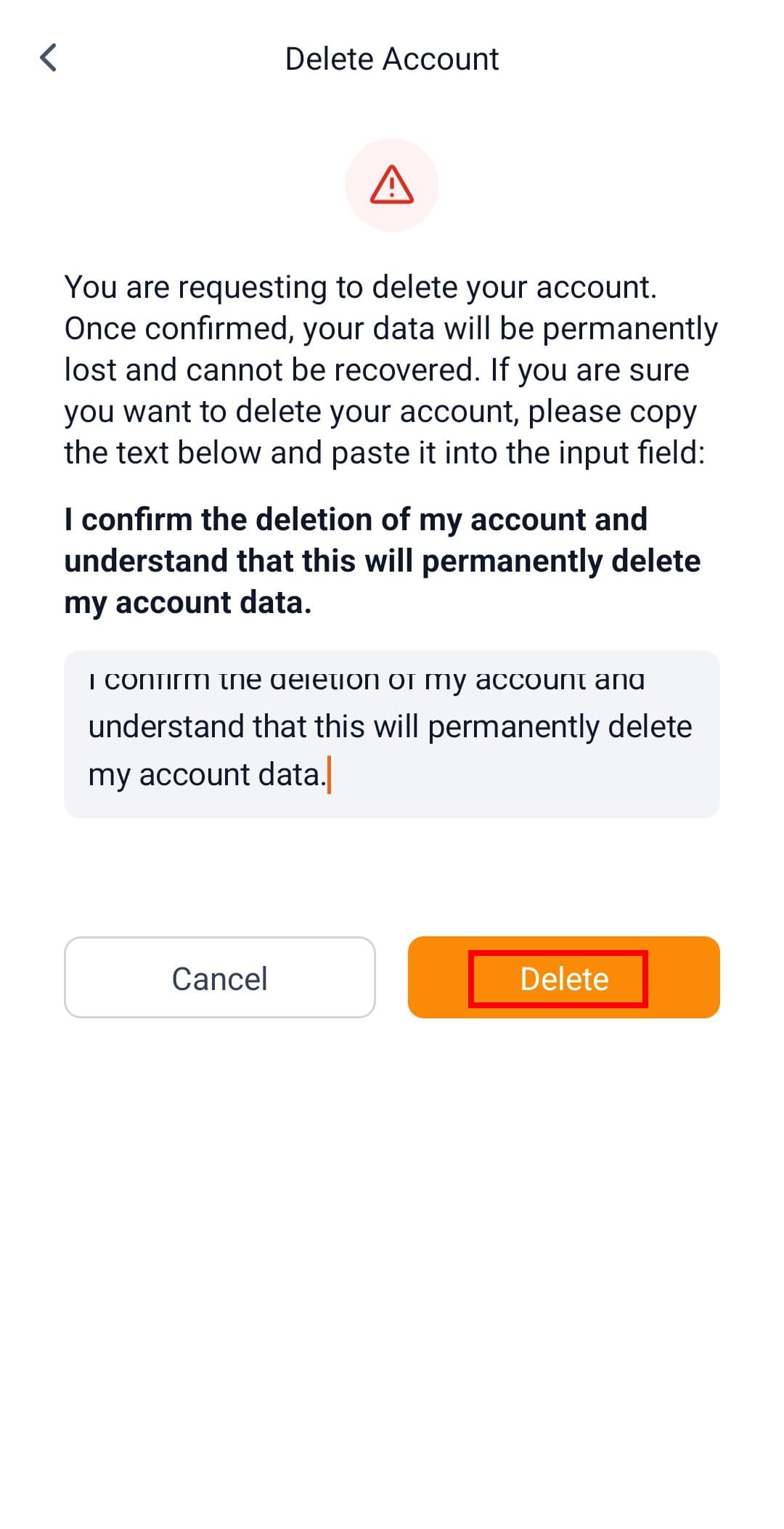
4. Read the prompt, press and hold to copy the displayed text, and paste it into the text box.
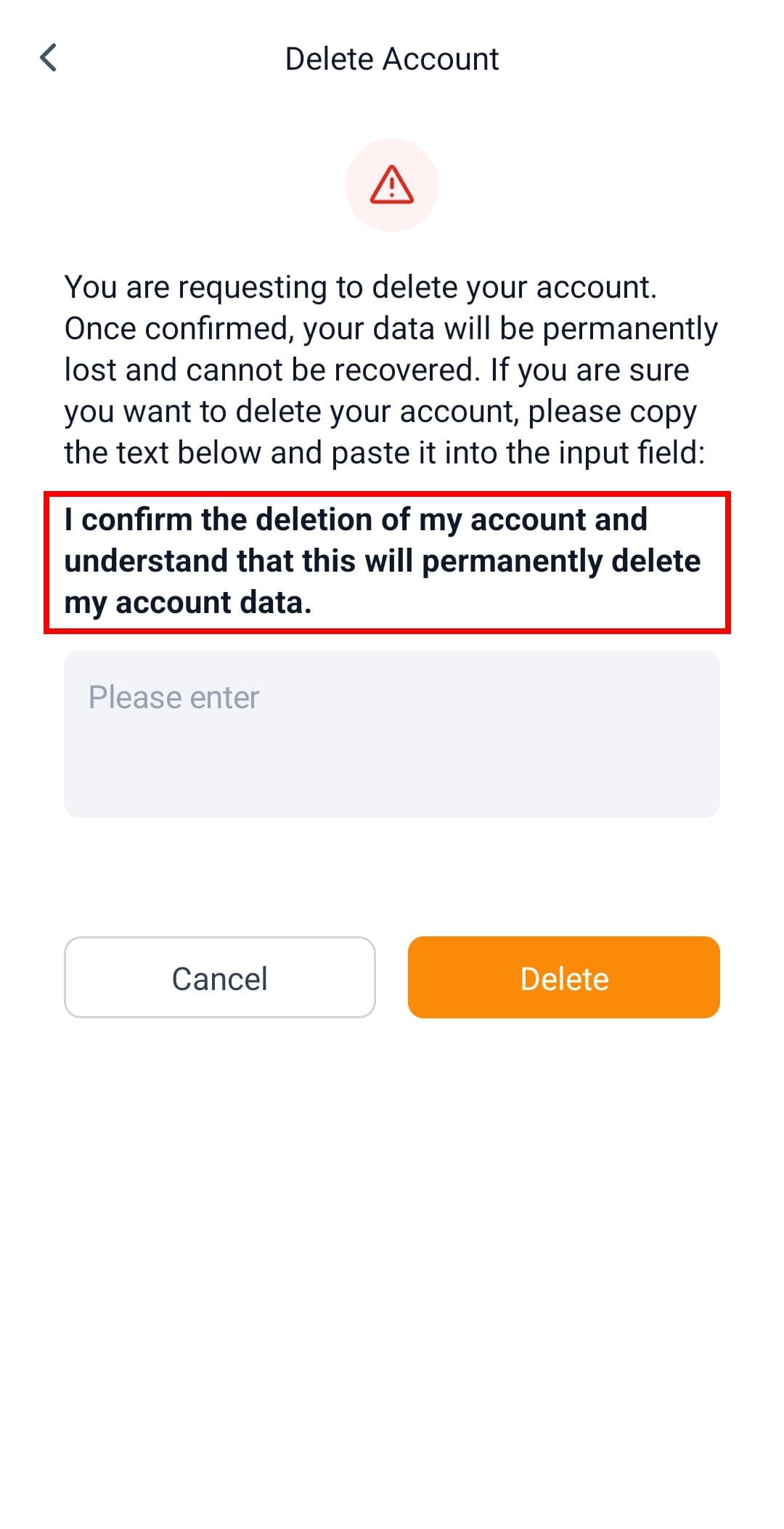
5. Click the Delete button again to complete the account deletion process.