How to Choose the Best Translation App: 8 Practical Tips

Julian Mercer
Jul 31, 2026

Search for the best translation app and you will find plenty of names, but very little help deciding which one will actually work for you.
Language count, download numbers, and a vague promise of “accurate translation” are not enough. In real life, you may need to call a hotel abroad, join a bilingual meeting, understand a video without subtitles, or order from a menu you cannot read. Translating one sentence is not the same as completing any of those tasks.
A better way to choose a translation app is to define your standards first, then test each app with your own material. This guide gives you eight practical checks, a 100-point scorecard, and a 25-minute trial routine.
If you need more than an occasional dictionary—and want one app for conversations, simultaneous interpretation, videos, images, selected text, online meetings, and phone calls—TransGull deserves a place on your shortlist. Use the eight tests below to decide whether it fits your needs.
Tip 1: Check how many real translation tasks one app can handle
Breadth matters when choosing the best all-in-one translation app. The more situations one app can handle, the less often you have to switch tools, relearn controls, or scatter your translation history and language settings across different products.
Start by checking whether the app can cover these common tasks:
- Hold a two-way conversation with someone nearby;
- Read menus, signs, and product packaging from a photo;
- Follow a class, presentation, or livestream continuously;
- Translate video, audio, and documents;
- Work inside Zoom, Teams, or Google Meet;
- Call an overseas hotel, hospital, school, or customer service line;
- Translate selected text in a webpage, PDF, or chat window.
These tasks all involve translation, but they need different inputs, outputs, and interaction flows. A long feature list is useful when each feature gives you a direct path through a real language barrier.
TransGull provides dedicated flows for conversation, image, simultaneous, video, document, selected-text, online-meeting, and phone-call translation. You can move from reading a menu to following a lecture or speaking on an international call without finding and learning another tool. That is an important test for any all-in-one translation app.
Tip 2: Test whether it uses context
Do not test with a sentence like “The weather is nice today.” It is too easy and tells you nothing about whether the app remembers what came before.
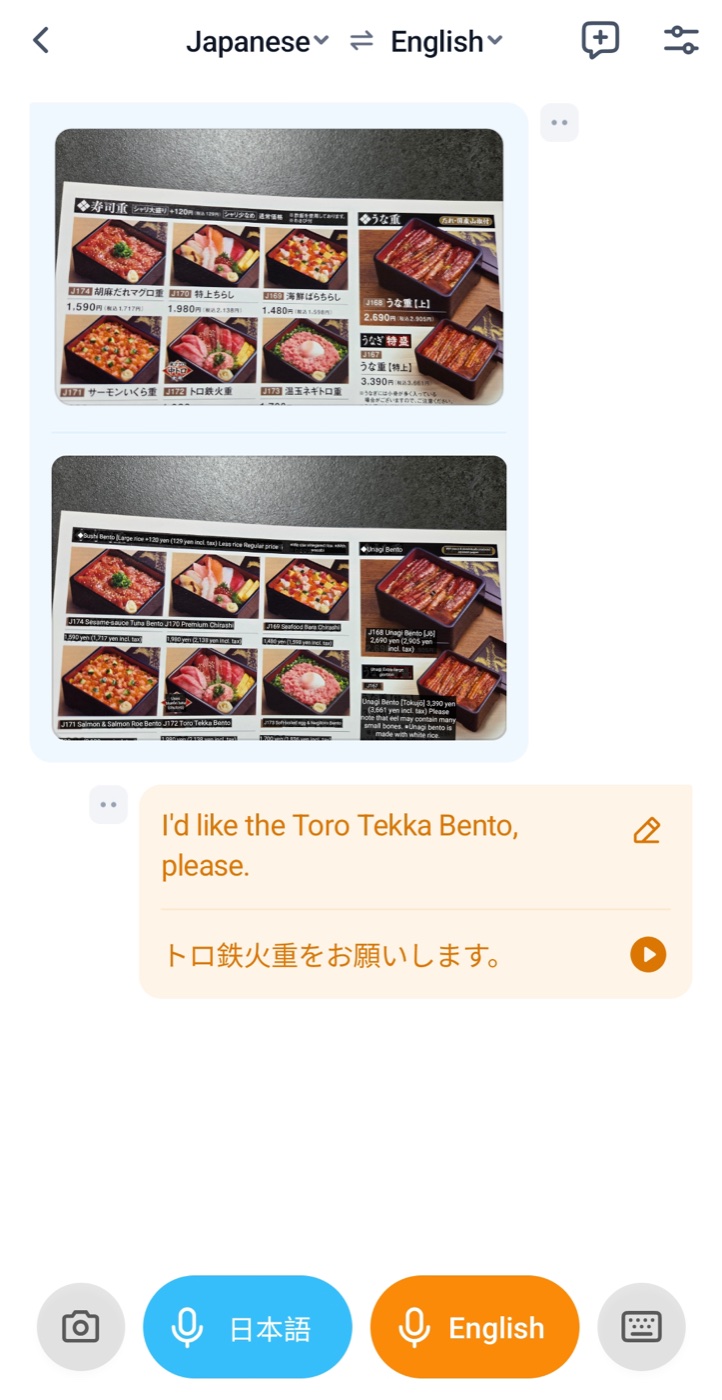
A more realistic test is to translate an image first and then continue the conversation about what appears in it. Ordering food is an ideal example:
- Find a Japanese menu with several similar dishes or house specialties.
- Translate the image and note two or three translated dish names.
- Without leaving the current context, say in English: “I’d like one order of [translated dish name].”
- Follow up with: “Does [dish name] contain peanuts?” or “Can [dish name] be made mild?”
- Compare the result with the menu and check whether the translated name returns to the restaurant’s original Japanese wording.
The goal is not a literal retranslation of the English name. The app should use the menu it has just read to recover the exact term the restaurant uses. Specialty dishes and transliterated names often have no single word-for-word translation. If the app forgets the image, it may produce a fluent but unusable name.
You can repeat the same test with packaging, exhibition labels, equipment panels, or course slides. Consistency between the image and the follow-up conversation is much more revealing than a standalone sample sentence.
TransGull uses continuing content in image conversations, dialogue, simultaneous interpretation, and video translation to understand the current context instead of treating every sentence as an isolated request.
Tip 3: Run a continuous 10-minute translation test
Fast output on the first sentence does not prove reliable real-time translation. Problems often appear later: translations begin to queue, complete sentences disappear, terminology drifts, or the system loses track of the subject.
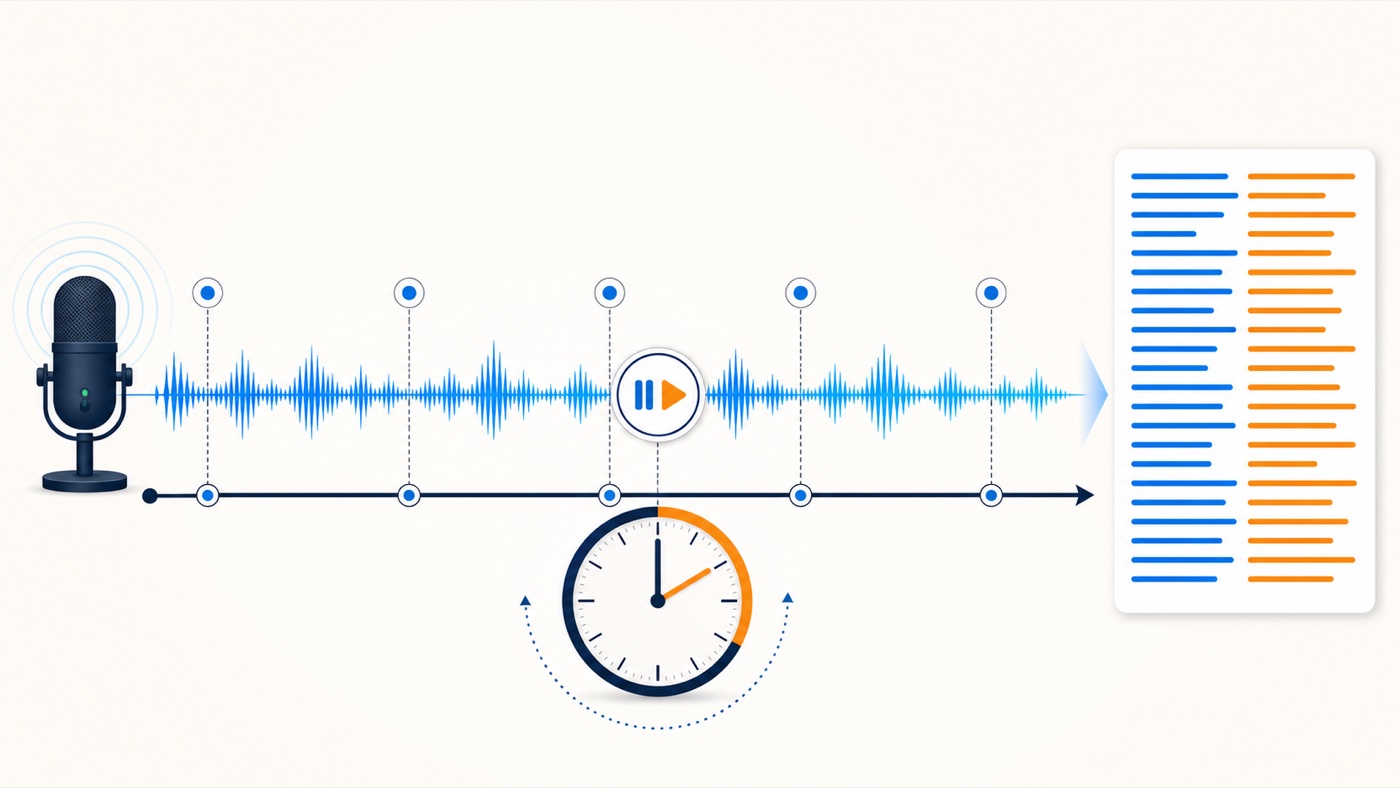
Prepare a 10-minute talk, lesson, or podcast with a transcript. Play it from beginning to end at normal speed without pausing the app or starting a new session. Divide the transcript into five two-minute sections and mark two checkpoints in each section, such as a number, conclusion, or recurring term.
After the test, check:
- Whether minutes 8–10 are as complete as the opening;
- Whether an entire sentence, argument, or several seconds went missing;
- Whether translations appeared continuously instead of arriving in a delayed batch;
- Whether recurring terms kept the same meaning;
- Whether the app needed taps, restarts, or a new task to continue.
Do not score it only by how fluent it sounds. Tick off the ten checkpoints and record missing sentences separately. A polished opening followed by lost content is not dependable simultaneous interpretation.
TransGull AI simultaneous interpretation is designed for continuous recognition and translation. One-way mode suits classes, talks, and livestreams; two-way mode suits face-to-face conversations. Use the same 10-minute test to verify that the later sections remain complete and coherent.
Tip 4: See whether complex jobs take only a few taps
Video and audio translation normally involve several specialist steps: extracting sound, transcribing speech, building a timeline, translating subtitles, and aligning the result again. A good translation app should handle those steps in the background.
Import a short foreign-language video or audio file and check whether the app can automatically:
- Recognize the spoken content;
- Generate a time-aligned transcript;
- Translate it into bilingual subtitles;
- Keep subtitles synchronized during playback;
- Share the result or export subtitles and subtitled video.
Count the work you have to do, not just the processing time. If you must convert formats, split audio, copy translations, or time every subtitle manually across several programs, the app is solving only one part of the job.
With TransGull, you select a video or audio file, confirm the source and target languages, and start translation. The result includes original and translated subtitles for direct playback and sharing. On desktop, local videos can also be exported with original, translated, or bilingual subtitles. See how to export a subtitled video for the complete workflow.
Tip 5: Check for true voice-to-voice translation
Voice input is not necessarily voice-to-voice translation. Some apps let you speak but only display text, forcing both people to watch the screen or tap a playback button after every turn.
Choose two languages, speak with someone nearby, and place the phone where both people can hear it. Check whether:
- The other person hears the target language after you speak;
- You hear your own language after they answer;
- Either person must repeatedly tap a play button;
- The conversation can continue without watching the screen.
TransGull can play translated speech in conversation translation, two-way simultaneous interpretation, and phone-call translation. Use speaker mode for face-to-face conversations, headphones when listening to a class or talk, and phone translation when both callers need to hear a familiar language.
Tip 6: Make sure you can verify both the source and translation
A reliable AI translator should not play a voice and ask you to trust it blindly. You need to know what the app heard and what it translated.
Check four things:
- Are the recognized source text and translation visible together?
- Can you immediately spot a misheard name, number, or place?
- Can you pause, repeat yourself, and continue naturally?
- Can you review or copy the full conversation afterward?
TransGull keeps recognized text and translation visible during simultaneous interpretation and lets you pause, continue, and copy the full text. If “the 15th” is recognized as “the 50th,” you can see the source error, move closer to the microphone, repeat it, and continue before the misunderstanding spreads.
Visibility does not make translation infallible. It makes errors easier to detect and correct—and that is a major part of earning trust.
Tip 7: Test professional terminology before creating a glossary
Do not test specialist capability with a single isolated term. Put several terms inside a realistic passage so you can see whether the app understands their meaning in that field.
For example:
The patient is currently taking anticoagulant medication. At the follow-up appointment, coagulation function should be checked and the dosage adjusted according to the results.
For the first test, do not configure a glossary. Check whether “anticoagulant medication,” “coagulation function,” and “dosage” are recognized and translated into the appropriate professional terms, then see whether they stay consistent later. You can use legal, financial, engineering, or academic material from a field you understand.
TransGull can translate many common medical and other professional terms from context without advance setup. A glossary is an extra tool, not a requirement. Use recognition enhancement, translation correction, or pronunciation settings for abbreviations, people’s names, brands, internal product codes, and other names that do not have a universal translation.
Tip 8: Check how easily other people receive the result
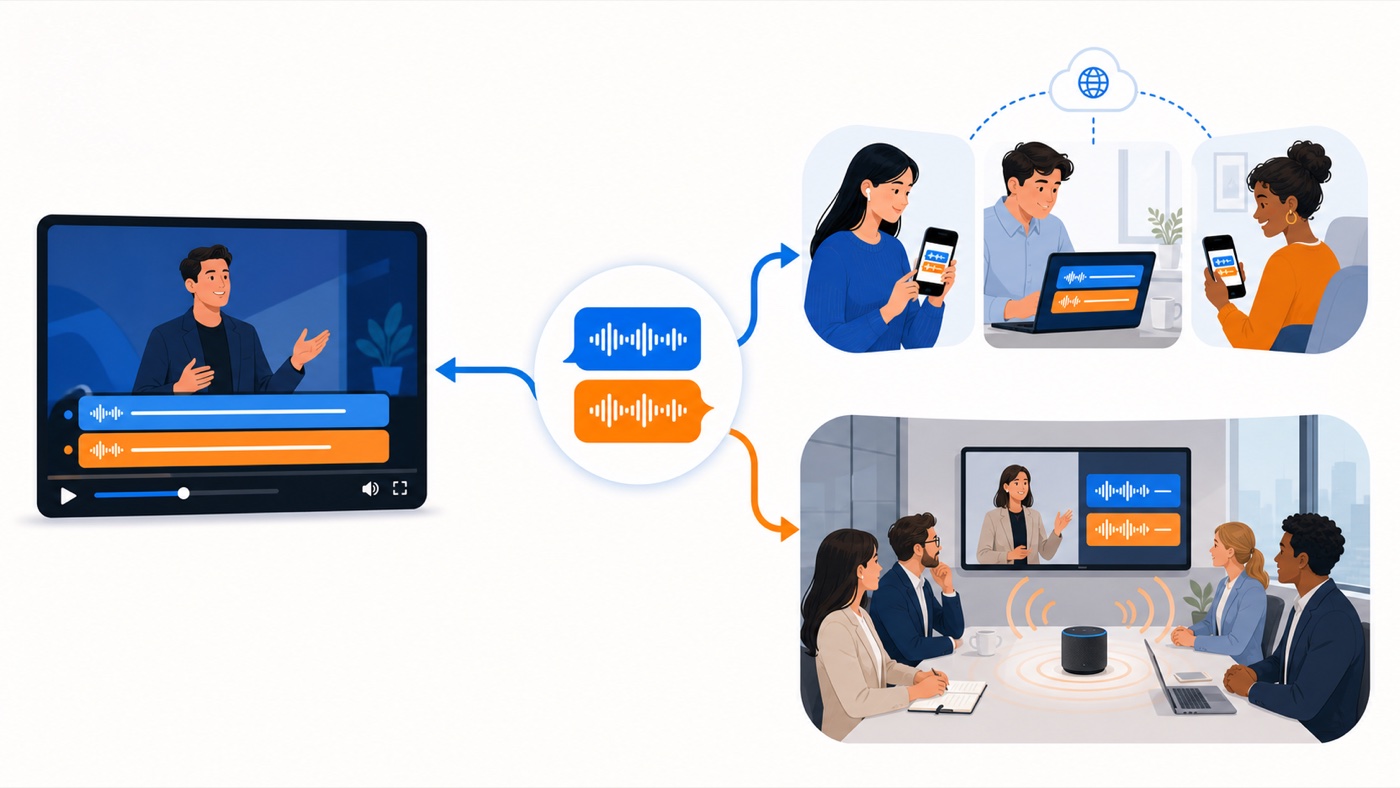
Translation is often meant for more than one person. A translated course video may need to go to colleagues, live interpretation may need to reach an audience, and an online meeting may require the other side to hear translated speech directly.
Test both finished and live content:
- Can a translated video be shared with a link that opens directly?
- Can live subtitles be shared by link or QR code?
- Can translated audio play into the meeting software already in use?
- Does the recipient need to pay again, retranslate the content, or complete a complex setup?
Send one translated video to a colleague, then share an active interpretation session. Test from the recipient’s side: whether the link opens easily, subtitles stay synchronized, and translated speech can be heard.
TransGull supports link sharing for translated videos and link or QR-code sharing for live subtitles. In online meetings, it can send translated speech into Zoom, Teams, and Google Meet so participants hear what you mean. Before an important call, review the online meeting real-time translation guide and rehearse in a non-critical meeting.
A practical 100-point scorecard
Adjust the weights to suit your work. This version is designed for people who need real-time communication as well as video or meeting translation.
| What to evaluate | Weight | Evidence to record |
|---|---|---|
| Feature coverage | 10 | How many everyday translation tasks one app completes |
| Context understanding | 20 | Whether later translations recover terms from the image or earlier content |
| 10-minute completeness | 20 | Missing sentences, delay, and content loss in each two-minute section |
| Ease of use | 10 | Whether complex work takes only a few clear steps |
| Voice-to-voice translation | 10 | Whether both people can continue speaking without watching the screen |
| Source and translation visibility | 10 | Whether mistakes can be spotted, repeated, paused, and reviewed |
| Professional terminology | 10 | Whether common terms work without setup and special names can be fixed |
| Sharing and group access | 10 | Whether finished and live translation are easy for others to receive |
Add one hard rule: even with a high total score, do not choose the app if it fails your main use case, loses critical information, or breaks down during the 10-minute test. An average can hide the weakness that matters most.
A 25-minute trial routine
Use this sequence with TransGull or any translation app:
- 2 minutes—feature check: List your usual situations and see how many one app covers.
- 5 minutes—context check: Translate a menu, say the translated dish name, and see whether it returns to the original menu term.
- 10 minutes—continuity check: Play a talk with a transcript and verify all ten checkpoints.
- 3 minutes—workflow and voice: Import a video or audio file and count the steps; then hold a short two-way voice conversation.
- 3 minutes—terminology and sharing: Translate a professional passage and share a result or live subtitle session.
- 2 minutes—score: Record only what you observed, not a general feeling that it “seemed good.”
For online meetings, also wear headphones, check the system microphone, and ask a colleague to confirm which language they hear. Do not leave the first setup attempt until an important client call begins.
Why TransGull deserves a place on your shortlist
We are the TransGull team, so we should give you standards you can verify rather than ask you to trust a slogan.
When choosing the best AI translation app, do not judge one isolated feature. TransGull brings together broad scenario coverage, context-aware translation, long-session continuity, simple workflows, voice-to-voice communication, visible source and translated text, professional terminology, and sharing for finished or live translation.
Noise, network quality, and speaking style can affect speech recognition and translation. A dependable product does not pretend those factors disappear. It lets you see the source and translation, pause and repeat when necessary, and continue working through a long conversation.
That is why we recommend trying TransGull. It aims to make accuracy, reliability, and ease of use part of the complete workflow—from speaking, listening, and reading to sharing the result. Use the tests above to decide whether it is the right translation app for you.
Frequently asked questions
Is the best translation app simply the one with the most languages?
No. Confirm that it supports your language pair, then test context, continuity, and output in the situation you actually face. One hundred unreliable languages are less useful than the two you need working consistently.
What is the difference between real-time translation and simultaneous interpretation?
“Real-time translation” is broad and may describe pressing a button and receiving one translated sentence. Simultaneous interpretation emphasizes continuous recognition, translation, and playback while someone is speaking. For classes, livestreams, and long meetings, test continuity—not just single-sentence speed.
How can I judge translation quality if I do not understand the target language?
Start with a language pair you understand at least a little. Focus on names, dates, times, numbers, places, and negative instructions. In important conversations, ask the other person to restate the key arrangement in their own words so you can confirm that both sides understood it.
Do professional terms need to be configured in advance?
Usually not. TransGull uses context to translate many common medical, legal, financial, engineering, and academic terms directly. Glossaries are most useful for abbreviations, names, brands, internal codes, and terms that require a fixed translation or pronunciation.